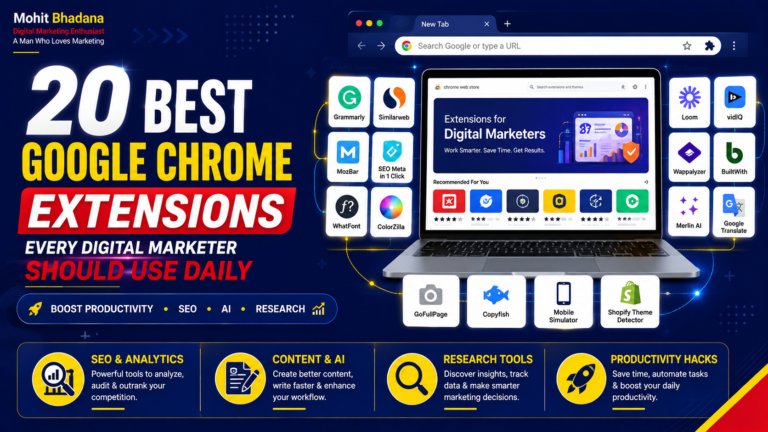
Blog Summary
Google Chrome extensions have become essential tools for modern digital marketers. Whether you’re managing SEO campaigns, running Google Ads, creating content, researching competitors, or tracking website performance, the right browser extensions can significantly improve your productivity and workflow. In this guide, you’ll discover the 20 best Google Chrome extensions for digital marketers in 2026, including tools for SEO, AI, website analysis, design, analytics, tracking, YouTube marketing, and competitor research. Whether you’re a beginner, freelancer, agency owner, or marketing professional, these daily-use Chrome extensions will help you work smarter and more efficiently.
20 Best Google Chrome Extensions Every Digital Marketer Should Use Daily
Digital marketing is not just about running campaigns or creating content. A successful marketer needs to analyze websites, research competitors, optimize SEO, track conversions, create designs, and improve productivity every day.
Google Chrome extensions make these tasks faster by bringing powerful marketing tools directly into your browser.
Whether you are an SEO professional, performance marketer, content creator, social media marketer, or digital marketing student, these Chrome extensions can help you save time and improve your workflow.
In this blog, we will explore the 20 best Google Chrome extensions for digital marketers in 2026 that you should consider adding to your browser.
Website Analysis & Technology Research Extensions
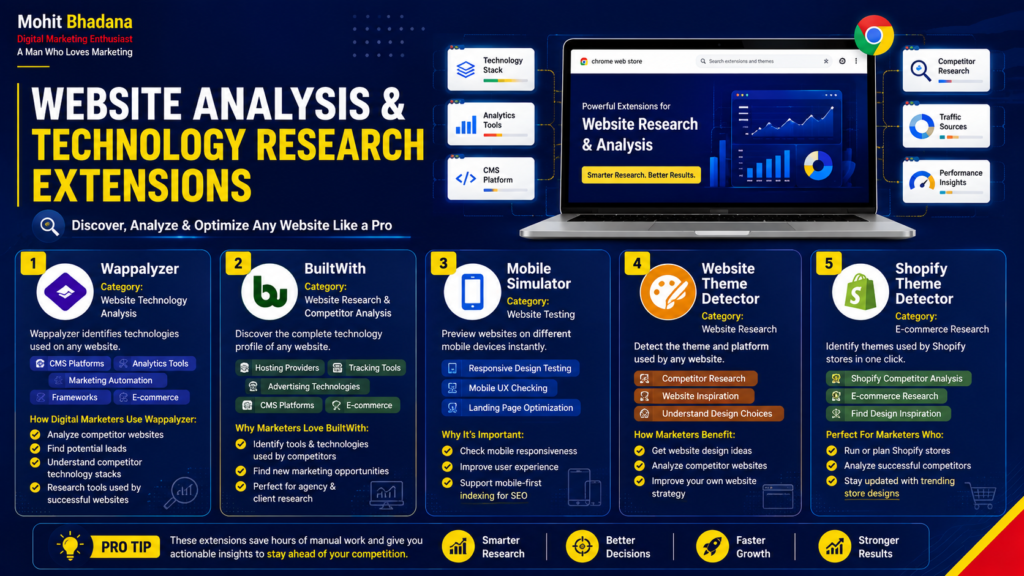
1. Wappalyzer
Category: Website Technology Analysis
Wappalyzer is one of the most useful Chrome extensions for marketers who want to understand how a website is built.
It helps identify technologies used on any website, including:
- CMS platforms
- Analytics tools
- Marketing automation software
- Frameworks
- E-commerce platforms
How Digital Marketers Use Wappalyzer:
- Analyze competitor websites
- Find potential leads
- Understand competitor technology stacks
- Research tools used by successful websites
2. BuiltWith
Category: Website Research & Competitor Analysis
BuiltWith helps marketers discover the complete technology profile of any website.
You can identify:
- Hosting providers
- Tracking tools
- Advertising technologies
- CMS platforms
- E-commerce solutions
It is especially useful for agencies and freelancers during client research.
3. Mobile Simulator
Category: Website Testing
Mobile Simulator allows marketers and developers to check how websites appear on different mobile devices.
It helps with:
- Responsive design testing
- Mobile user experience checking
- Landing page optimization
Since mobile-first indexing is important for SEO, this extension is useful for website audits.
4. Website Theme Detector
Category: Website Research
Theme Detector extensions help identify the theme and platform used by websites.
Useful for:
- Competitor research
- Website inspiration
- Understanding website design choices
5. Shopify Theme Detector
Category: E-commerce Research
Shopify Theme Detector helps marketers analyze Shopify stores and identify the themes they are using.
Useful for:
- Shopify competitor analysis
- E-commerce research
- Finding design inspiration
Design, Content & Creator Extensions
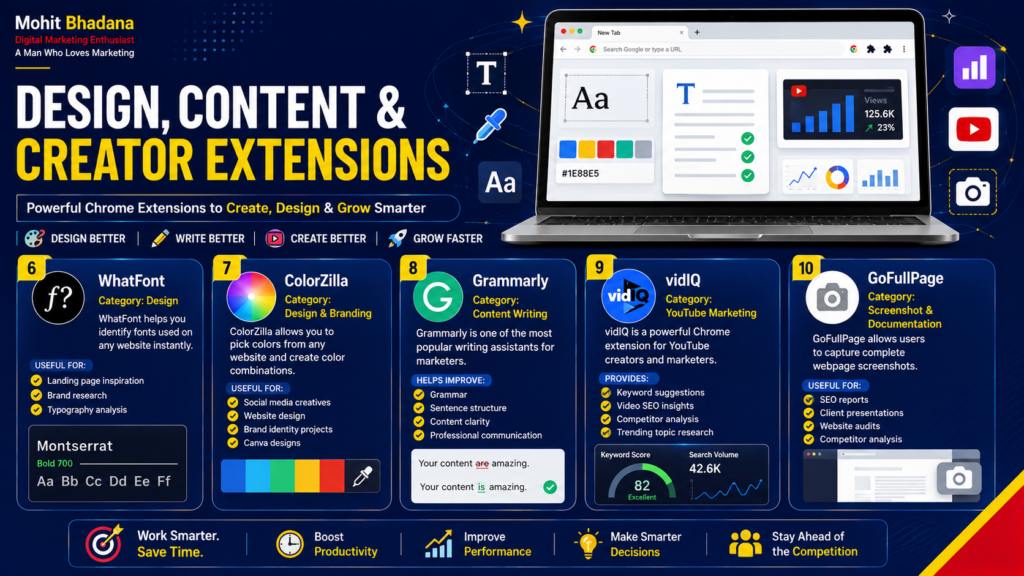
6. WhatFont
Category: Design
WhatFont helps you identify fonts used on any website instantly.
Digital marketers can use it for:
- Landing page inspiration
- Brand research
- Typography analysis
7. ColorZilla
Category: Design & Branding
ColorZilla allows you to pick colors from any website and create color combinations.
Useful for:
- Social media creatives
- Website design
- Brand identity projects
- Canva designs
8. Grammarly
Category: Content Writing
Grammarly is one of the most popular writing assistants for marketers.
It helps improve:
- Grammar
- Sentence structure
- Content clarity
- Professional communication
Digital marketers can use it for blogs, emails, ads, social media posts, and website copy.
9. VidIQ
Category: YouTube Marketing
VidIQ is a powerful Chrome extension for YouTube creators and marketers.
It provides:
- Keyword suggestions
- Video SEO insights
- Competitor analysis
- Trending topic research
10. GoFullPage
Category: Screenshot & Documentation
GoFullPage allows users to capture complete webpage screenshots.
Useful for:
- SEO reports
- Client presentations
- Website audits
- Competitor analysis
SEO & Website Optimization Extensions
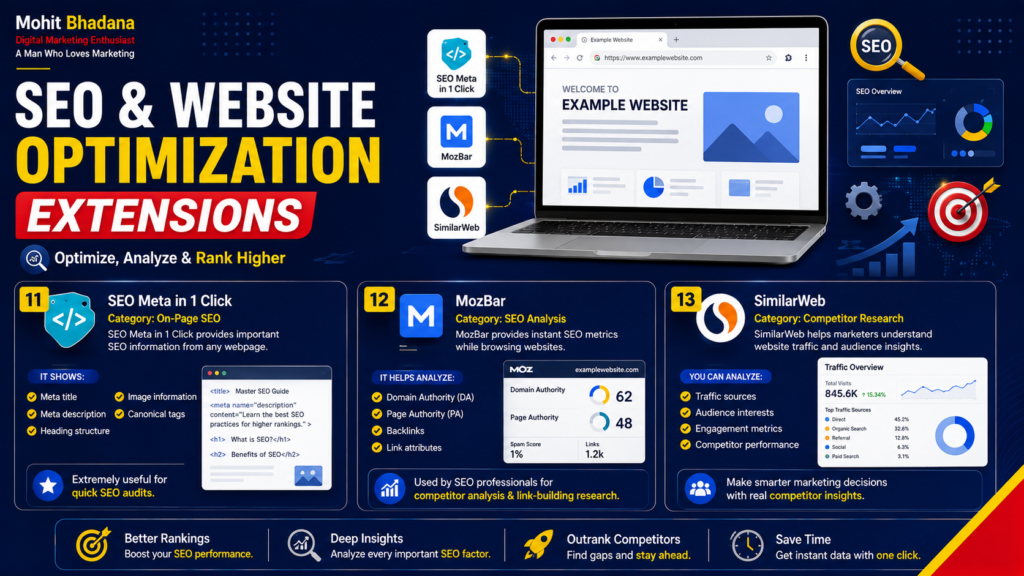
11. SEO Meta in 1 Click
Category: On-Page SEO
SEO Meta in 1 Click provides important SEO information from any webpage.
It shows:
- Meta title
- Meta description
- Heading structure
- Image information
- Canonical tags
It is extremely useful for quick SEO audits.
12. MozBar
Category: SEO Analysis
MozBar provides instant SEO metrics while browsing websites.
It helps analyze:
- Domain Authority
- Page Authority
- Backlinks
- Link attributes
SEO professionals use it for competitor analysis and link-building research.
13. SimilarWeb
Category: Competitor Research
SimilarWeb helps marketers understand website traffic and audience insights.
You can analyze:
- Traffic sources
- Audience interests
- Engagement metrics
- Competitor performance
AI, Research & Productivity Extensions
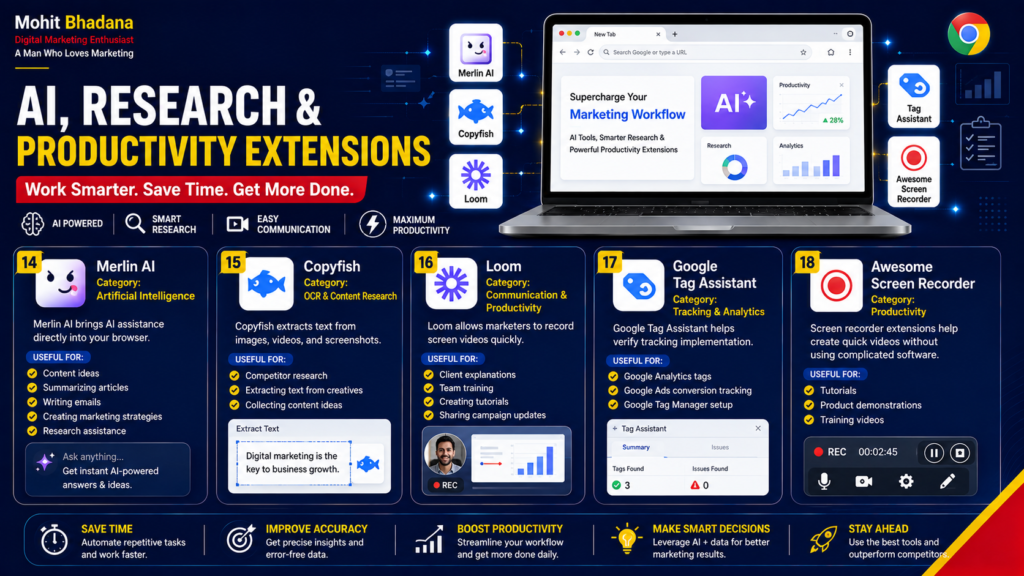
14. Merlin AI
Category: Artificial Intelligence
Merlin AI brings AI assistance directly into your browser.
Marketers can use it for:
- Content ideas
- Summarizing articles
- Writing emails
- Creating marketing strategies
- Research assistance
15. Copyfish
Category: OCR & Content Research
Copyfish extracts text from images, videos, and screenshots.
Useful for:
- Competitor research
- Extracting text from creatives
- Collecting content ideas
16. Loom
Category: Communication & Productivity
Loom allows marketers to record screen videos quickly.
Useful for:
- Client explanations
- Team training
- Creating tutorials
- Sharing campaign updates
17. Google Tag Assistant
Category: Tracking & Analytics
Google Tag Assistant helps verify tracking implementation.
It is useful for checking:
- Google Analytics tags
- Google Ads conversion tracking
- Google Tag Manager setup
18. Awesome Screen Recorder
Category: Productivity
Screen recorder extensions help create quick videos without using complicated software.
Useful for:
- Tutorials
- Product demonstrations
- Training videos
Marketing Tracking Extensions
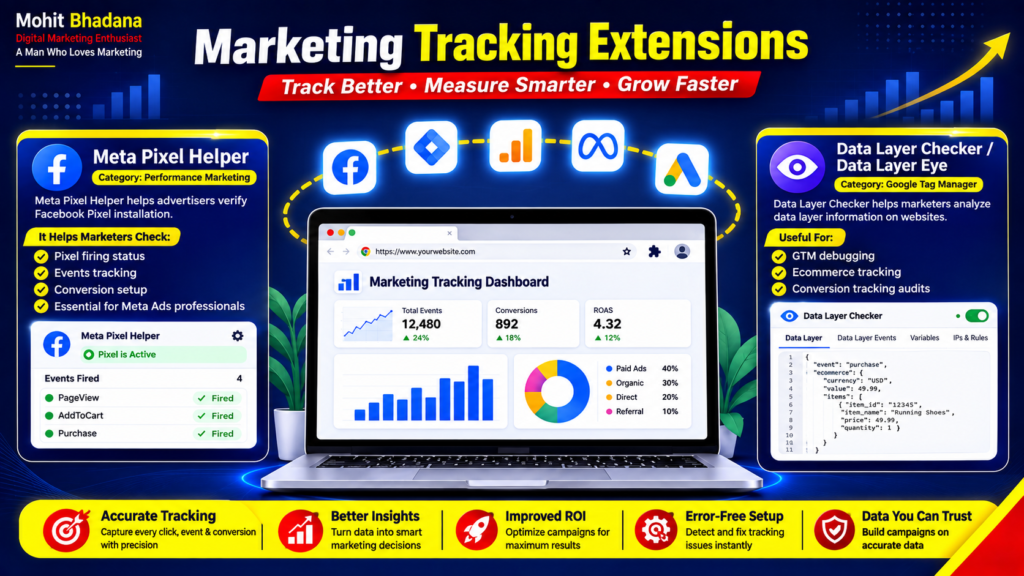
19. Meta Pixel Helper
Category: Performance Marketing
Meta Pixel Helper helps advertisers verify Facebook Pixel installation.
It helps marketers check:
- Pixel firing status
- Events tracking
- Conversion setup
Essential for Meta Ads professionals.
20. Data Layer Checker / Data Layer Eye
Category: Google Tag Manager
Data Layer Checker helps marketers analyze data layer information on websites.
Useful for:
- GTM debugging
- Ecommerce tracking
- Conversion tracking audits
Bonus Chrome Extensions for Digital Marketers
Apart from these top 20 extensions, marketers can also explore:
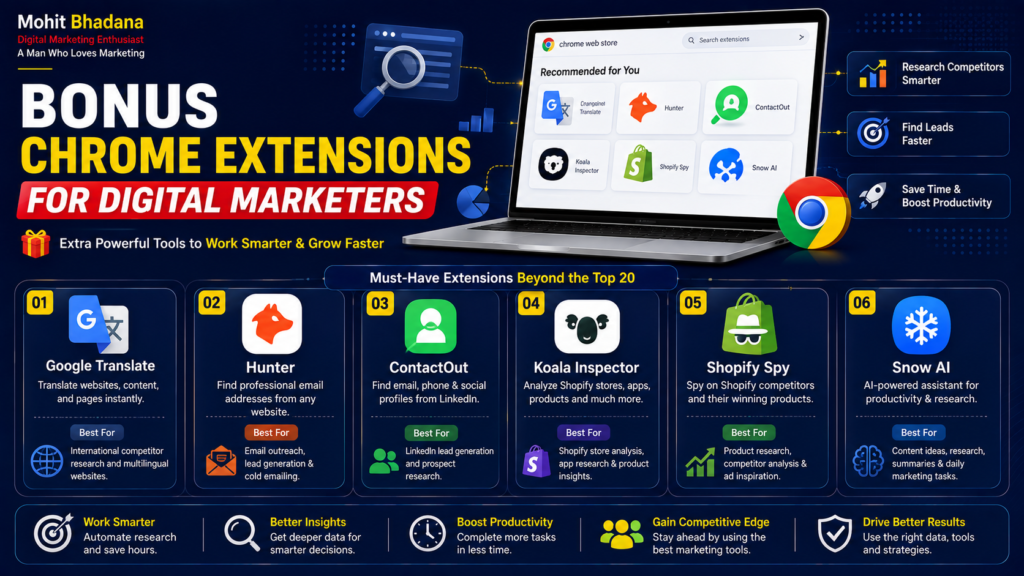
Google Translate
Useful for international competitor research and multilingual websites.
Hunter
Find professional email addresses for outreach campaigns.
ContactOut
Useful for LinkedIn lead generation and prospect research.
Koala Inspector
Analyze Shopify stores, apps, products, and competitor strategies.
Shopify Spy
Research Shopify competitors and product strategies.
Snow AI
AI-powered productivity and research assistance.
Final Thoughts
The right Chrome extensions can significantly improve the daily workflow of digital marketers. From website analysis and SEO audits to AI content creation, tracking implementation, and competitor research, these tools help marketers work faster and smarter.
Instead of switching between multiple platforms, these extensions bring essential marketing capabilities directly into your browser.
If you are a digital marketing student, freelancer, agency owner, or marketing professional, installing these Chrome extensions can help you improve productivity and execute better marketing strategies.
Official Links: Download These Chrome Extensions for Digital Marketers
Below are the official websites or Chrome Web Store pages for the Chrome extensions mentioned in this guide. Always download browser extensions from official sources or the official Chrome Web Store.
Website Analysis & Competitor Research
- Wappalyzer – Website Technology Profiler
- BuiltWith – Website Technology Lookup
- Mobile Simulator – Chrome Web Store
- Website Theme Detector – Chrome Web Store
- Shopify Theme Detector – Chrome Web Store
- Koala Inspector – Shopify Store Inspector
Design & Content Creation
- WhatFont – Identify Fonts on Websites
- ColorZilla – Color Picker for Chrome
- Grammarly – AI Writing Assistant
- VidIQ – YouTube SEO and Marketing Tool
- GoFullPage – Full Page Screenshot Extension
SEO & Website Optimization
- SEO Meta in 1 Click – Chrome Web Store
- MozBar – SEO Toolbar by Moz
- Similarweb – Website Traffic and Competitor Analysis
- Wappalyzer – Website Technology Analysis
AI, Research & Productivity
- Merlin AI – AI Assistant for Chrome
- Copyfish – OCR Text Extractor
- Loom – Screen Recording and Video Communication
- Awesome Screen Recorder – Screen Recording Tool
Analytics, Tracking & Performance Marketing
- Google Tag Assistant – Google Tag Verification Tool
- Meta Pixel Helper – Meta Business Tools
- Data Layer Checker – Chrome Web Store
- Data Layer Eye – Google Tag Manager Debugging Tool
Additional Chrome Extensions for Digital Marketers
- Google Translate – Translate Web Pages and Content
- Hunter – Email Finder for Outreach
- ContactOut – Email and Contact Information Finder
- Koala Inspector – Shopify Research Tool
- Shopify Spy – Shopify Competitor Research
- Snow AI – AI Productivity Tool
Quick Comparison: Best Google Chrome Extensions for Digital Marketers (2026)
| Extension Name | Category | Free / Paid | Best For |
| Wappalyzer | Website Technology Analysis | Free + Premium | Identifying CMS, frameworks, analytics & tech stack |
| BuiltWith | Competitor Research | Free + Premium | Website technology and hosting analysis |
| Mobile Simulator | Website Testing | Free | Mobile responsiveness testing |
| Website Theme Detector | Website Research | Free | Detecting WordPress themes and CMS |
| Shopify Theme Detector | E-commerce Research | Free | Finding Shopify themes used by competitors |
| WhatFont | Design | Free | Identifying website fonts |
| ColorZilla | Design & Branding | Free | Color picker and brand color extraction |
| Grammarly | Content Writing | Free + Premium | Grammar, spelling, and writing improvement |
| VidIQ | YouTube SEO | Free + Premium | YouTube keyword research and optimization |
| GoFullPage | Productivity | Free | Capturing full-page website screenshots |
| SEO Meta in 1 Click | On-Page SEO | Free | Instant SEO audits and metadata analysis |
| MozBar | SEO | Free + Premium | Domain Authority, Page Authority & backlink analysis |
| SimilarWeb | Competitor Analysis | Free + Premium | Website traffic estimation and competitor insights |
| Merlin AI | Artificial Intelligence | Free + Premium | AI writing, summarization and research |
| Copyfish | OCR Tool | Free + Premium | Extracting text from images and screenshots |
| Loom | Communication | Free + Premium | Screen recording and client communication |
| Google Tag Assistant | Analytics | Free | Verifying GA4, GTM and Google Ads tags |
| Awesome Screen Recorder | Productivity | Free + Premium | Screen recording and tutorials |
| Meta Pixel Helper | Meta Ads | Free | Facebook Pixel and event verification |
| Data Layer Checker | GTM Debugging | Free | Data Layer and ecommerce tracking validation |
Frequently Asked Questions (FAQs)
1. Which is the best Chrome extension for digital marketers?
There isn’t a single best extension because different marketers have different needs. Popular choices include Wappalyzer, SEO Meta in 1 Click, MozBar, Merlin AI, Grammarly, Meta Pixel Helper, and Google Tag Assistant.
2. Which Chrome extension is best for SEO?
Some of the best SEO Chrome extensions include:
- SEO Meta in 1 Click
- MozBar
- SimilarWeb
- Wappalyzer
- BuiltWith
These tools help analyze websites, inspect on-page SEO, and research competitors.
3. Which Chrome extension helps with website technology detection?
Wappalyzer and BuiltWith are excellent Chrome extensions for identifying website technologies such as CMS platforms, analytics tools, marketing software, hosting providers, and eCommerce platforms.
4. What is the best Chrome extension for AI content creation?
Merlin AI is one of the most popular AI-powered Chrome extensions for digital marketers. It assists with content writing, email drafting, research, article summaries, and brainstorming ideas directly within the browser.
5. Which Chrome extension is useful for Google Ads tracking?
Google Tag Assistant helps verify Google Analytics, Google Ads Conversion Tracking, and Google Tag Manager implementation, making it an essential tool for performance marketers.
6. Which Chrome extension is useful for Meta Ads?
Meta Pixel Helper allows advertisers to verify Facebook Pixel installation, event tracking, and conversion setup on websites.
7. Are Chrome extensions safe to use?
Most Chrome extensions are safe when downloaded from the official Chrome Web Store. Always check the developer, user reviews, ratings, and requested permissions before installing any extension.
8. Which Chrome extensions should every digital marketing student install?
A beginner can start with:
- Grammarly
- SEO Meta in 1 Click
- Wappalyzer
- Merlin AI
- SimilarWeb
- WhatFont
- Google Tag Assistant
- Meta Pixel Helper
These extensions cover SEO, content writing, website analysis, AI, and marketing fundamentals.
9. Do Chrome extensions slow down the browser?
Installing too many extensions can affect browser performance. It’s recommended to keep only the extensions you actively use and disable unnecessary ones.
10. Are these Chrome extensions free?
Many Chrome extensions offer free versions with essential features. Some also provide premium plans that unlock advanced functionality for professionals and agencies.
learn more about Digital Marketing check my Digital marketing notes

Digital Marketing Strategist , Consultant & Trainer